Beyond the Rev Counter: Using HUD Telemetry to Master Braking and Traction
using-hud-telemetry-master-braking-traction
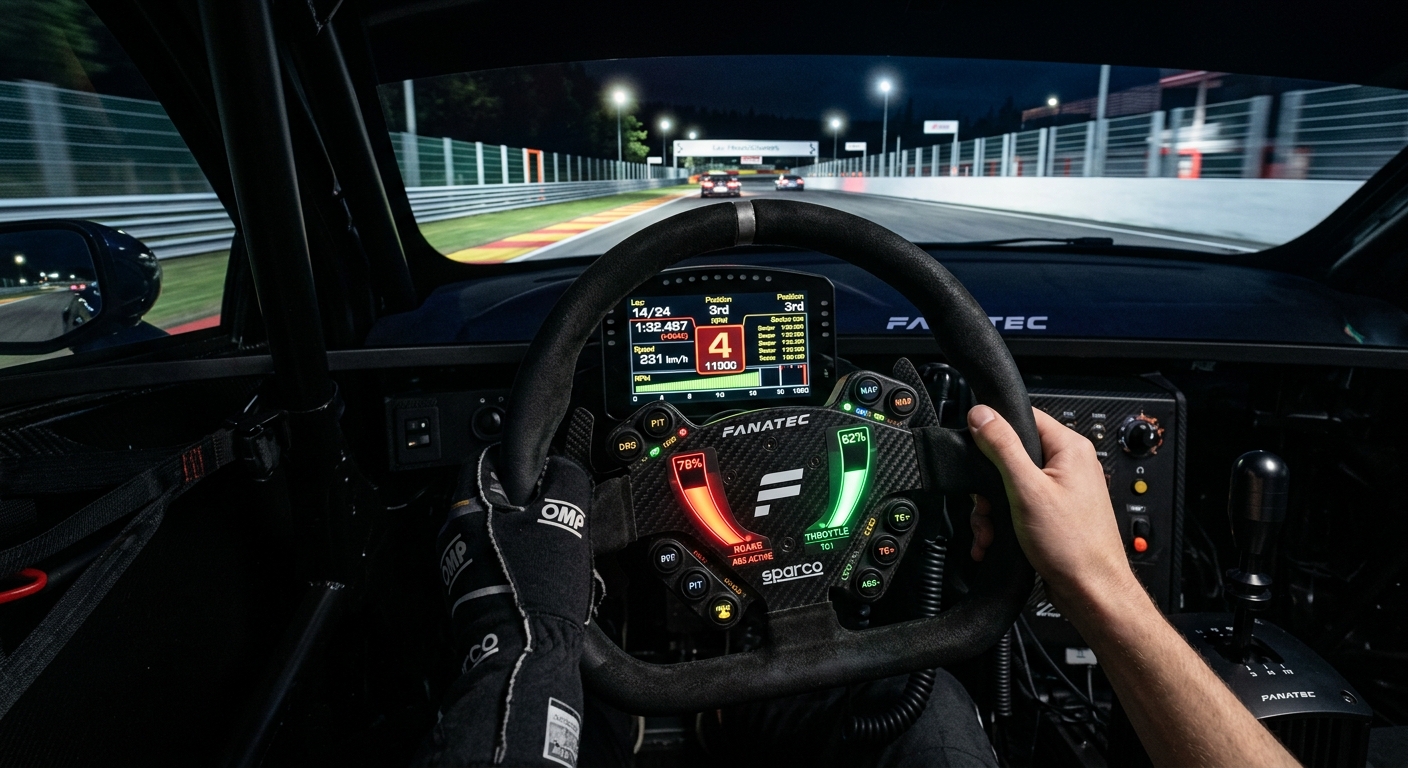
Learn how to use real-time HUD telemetry in Assetto Corsa to visualize braking, traction control, and throttle blips to improve your consistency and lap times.
The Gap Between Feeling and Seeing: Why Visual Telemetry Matters
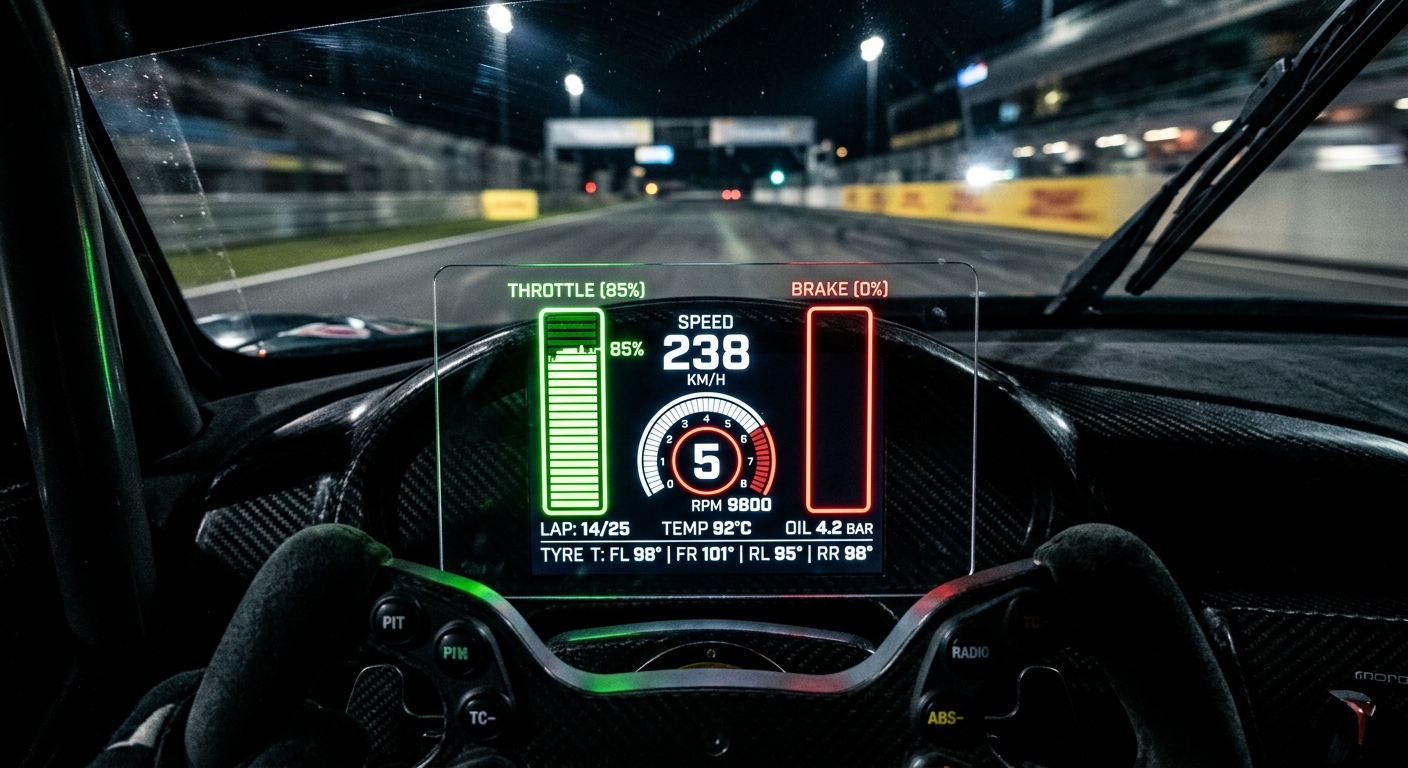
In a real car, your inner ear and body provide constant feedback about G-forces. In sim racing, you lose these physical sensations. Visual telemetry translates these invisible forces into data you can actually see. Instead of guessing if you hit the brake too hard, input bars show you exactly when the ABS kicks in or when the tires start to scrub. This visual feedback loop is essential for building the muscle memory required for consistent performance. By watching the telemetry bars, you can start to see the difference between a smooth input and a jagged one, allowing you to refine your movements until they become second nature.
ABS and Traction Control: How Much Intervention is Too Much?
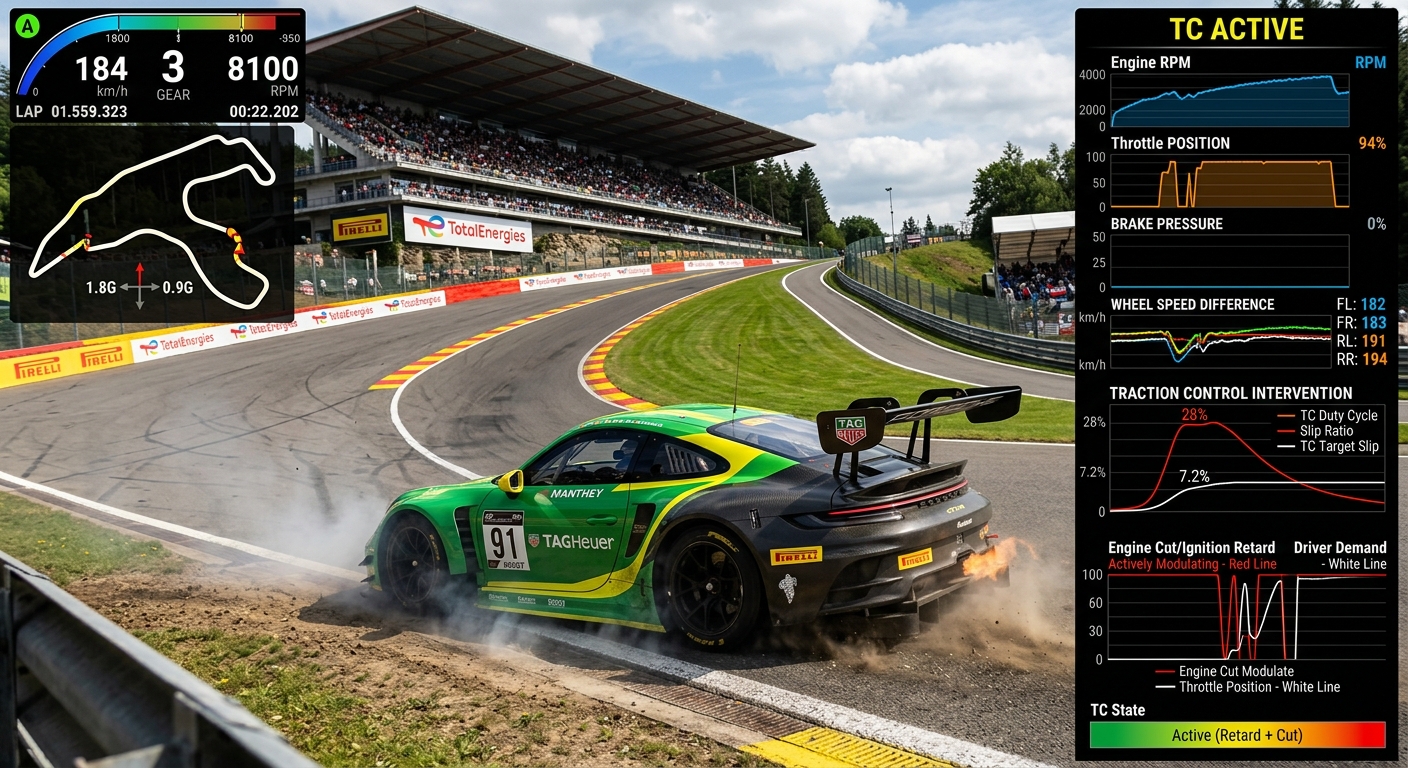
Many drivers lean too heavily on electronic aids without realizing it is actually slowing them down. When your HUD shows the Traction Control or ABS lights flashing constantly, it means the car is cutting power or releasing brake pressure to save you from a mistake. While these aids prevent spins, over-reliance prevents you from finding the true limit of the tire. By decoding the input bars, you can learn to modulate your feet so the aids only intervene at the absolute limit. This ensures you maintain maximum momentum and exit corners with the highest possible speed without fighting the car's computer.
Mastering the Shift: The Importance of Throttle Blips and Cuts
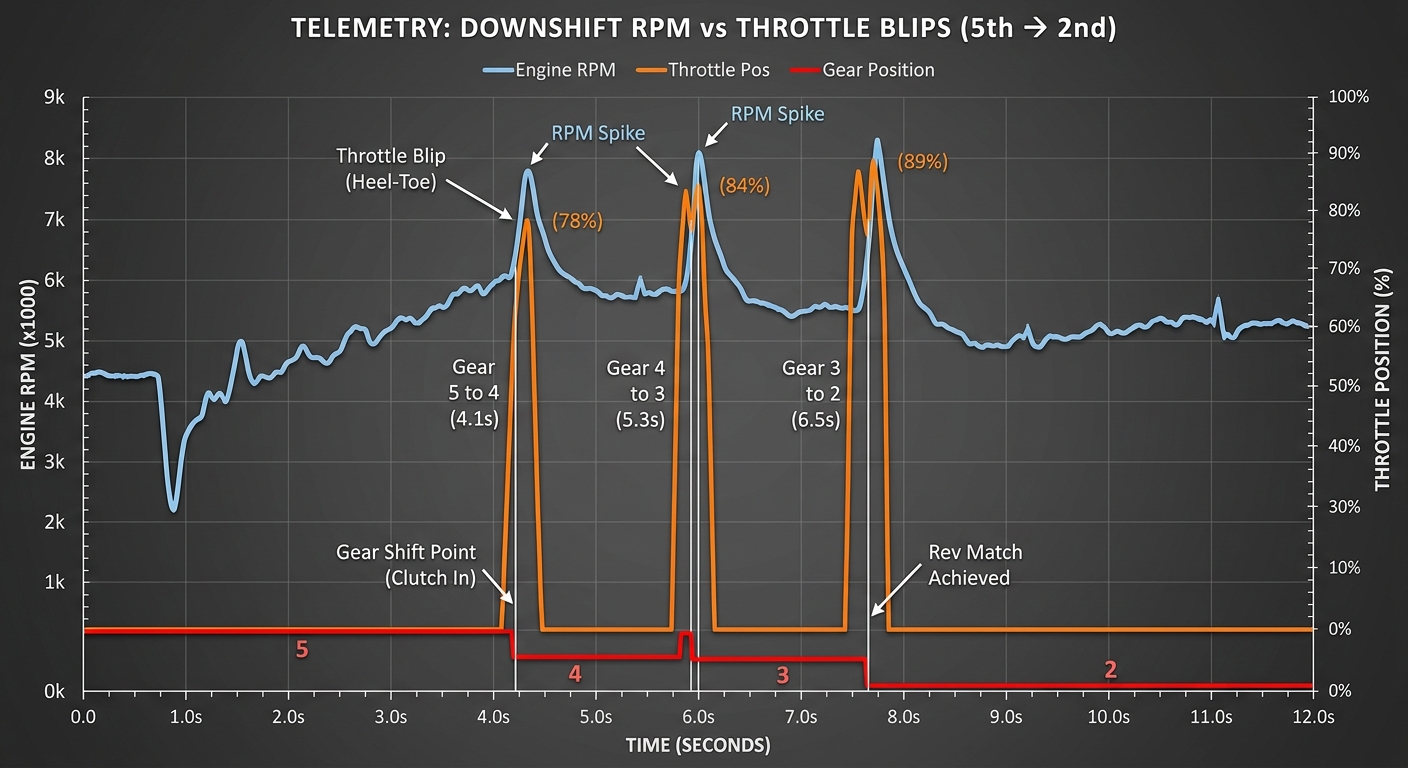
Stability isn't just about how you press the pedals; it's also about how the engine interacts with the drivetrain. On downshifts, many cars require a throttle blip to match engine RPM with wheel speed. If the blip is missing or poorly timed, the rear wheels can lock momentarily, upsetting the car's balance. Seeing these blips and cuts on your HUD helps you understand the mechanical rhythm of your car. Translating this HUD data into smoother footwork creates a training routine where you focus on one input at a time, eventually turning that visual data into permanent muscle memory and consistent lap times.
FAQ
What is sim racing input telemetry?
It is the visual representation of a driver's pedal and steering inputs, often shown as bars or graphs on a HUD, to help identify driving errors.
Why does my Traction Control light keep flashing?
Constant TC intervention usually means you are applying too much throttle too early for the available grip, causing the car to cut power.
How do throttle blips improve car stability?
Blips match the engine's RPM to the transmission speed during downshifts, preventing the rear wheels from locking up and upsetting the balance.
Can too much ABS usage make me slower?
Yes. While ABS prevents lock-ups, triggering it too aggressively can increase braking distances and prevent the car from turning in effectively.
How can I use HUD data to get better?
Use the HUD to identify when you are over-driving, then consciously adjust your inputs to stay just below the threshold of electronic intervention.
Take Your Performance Beyond the HUD
Visualizing your inputs in real-time is the first step toward mastery. To find those final few tenths, you need a deeper look. Move beyond the basic HUD and start analyzing your laps with RaceData. Our AI-driven platform provides the detailed telemetry insights you need to turn visual data into podium finishes.