← All posts · Pace, consistency and telemetry
What Is Racing Telemetry Data? The Channels That Matter and How to Read Them
Racing telemetry data is the record of what a car and its driver did during a lap, measured many times per second: speed, throttle, brake, steering, gear, RPM, g-forces, tyre temperatures and the car's position on track. Real race teams collect it with data loggers in the car. In sim racing, the simulator exposes the same kind of data, and telemetry software records it for you.
The data on its own does not make you faster. The value comes from comparing it: your lap against your best lap, or against a faster driver's lap, corner by corner. This guide explains the channels, where the data comes from and how to read it.
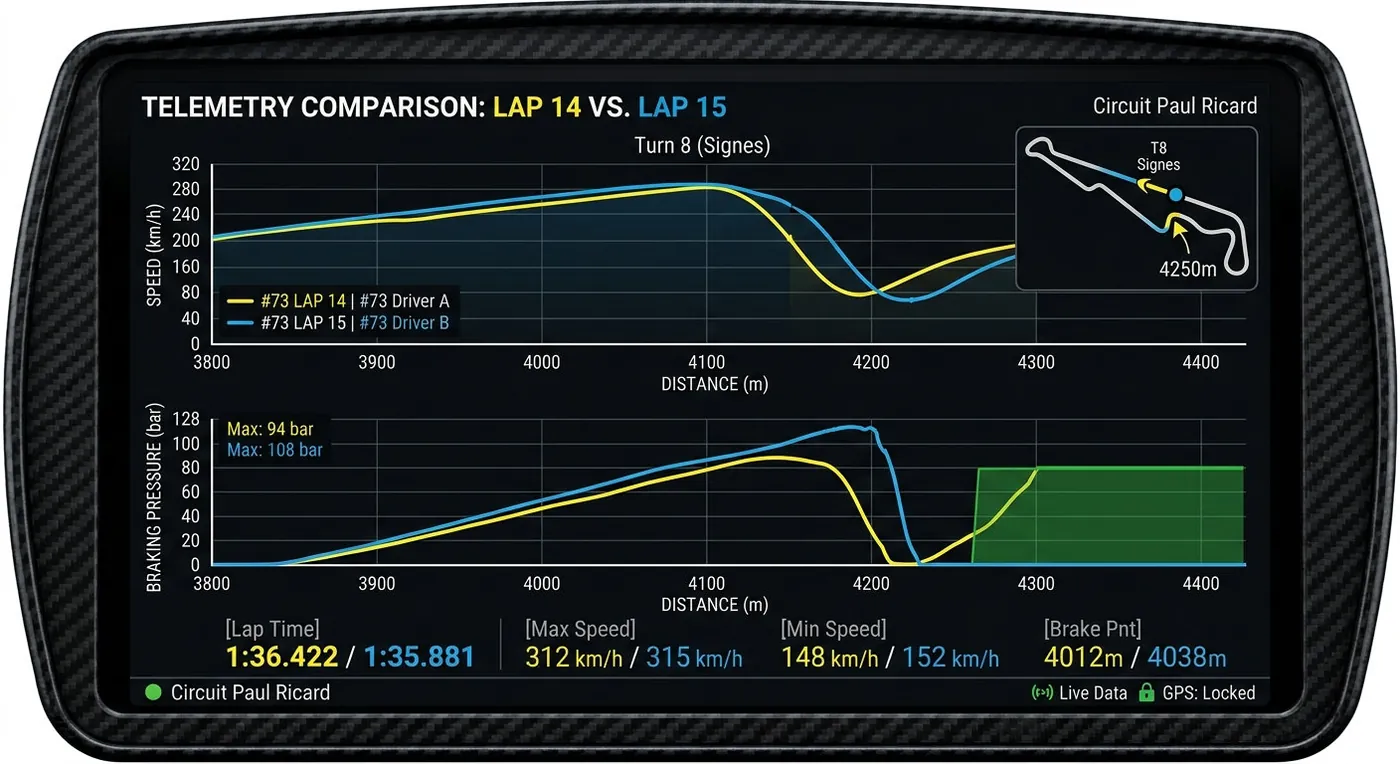
The telemetry channels that matter most
A channel is one measurement recorded over the lap. Sims expose dozens, but most of the lap time is explained by a handful:
| Channel | What it tells you |
|---|---|
| Speed | Entry, minimum and exit speed in every corner. Usually the first channel to check. |
| Throttle | When you get back on the power and whether you commit to full throttle or hesitate. |
| Brake | Brake point, peak pressure and how you release the pedal into the corner. |
| Steering angle | How much lock you use and how many corrections you make. |
| Gear and RPM | Shift points and whether you are in the right gear at the apex. |
| Time delta | Where on the lap you gain or lose time against a reference lap. |
| G-forces | How much grip you use in braking, cornering and acceleration. |
| Tyres and fuel | Temperatures, pressures, wear and fuel use over a stint. |
Start with speed, throttle, brake and delta. They answer where you lose time and what you did differently there. The others explain why the car behaved the way it did.
Where racing telemetry data comes from
In real cars, a data logger records signals from sensors on the car: wheel speed, pedal positions, steering, engine data, accelerometers and GPS. Teams download it after a run and analyse it in dedicated software.
In sims, no sensors are needed. The simulator already knows every value it calculates, and it shares them with other programs while you drive. iRacing provides an SDK for this and can also save telemetry files to disk (see our iRacing telemetry guide); Assetto Corsa and other sims share live data through shared memory. Sim racing telemetry software reads that stream, stores each lap and lines laps up so you can compare them.
That is the main difference between real and sim telemetry: in a sim the data is complete and noise-free, and every lap of every session can be recorded at no cost. That makes sims one of the best places to learn to read data.
How to read telemetry: compare, don't stare
A single lap of telemetry is just lines on a chart. It becomes useful when you put two laps on top of each other, aligned by distance around the track, and look for where they split.
- Pick a reference lap. Your own best lap, or a faster driver's lap in the same car on the same track.
- Find the biggest loss. The delta channel, or a corner-by-corner time split, shows which corners cost the most.
- Check speed in that corner. Is the loss at entry, at the minimum, or on exit?
- Explain it with inputs. Compare the brake and throttle traces at that point: earlier braking, a longer coast, a later throttle pickup.
- Change one thing and record again. Then compare the new lap with the old one.
In our Imola lap comparison, this process split an 8.3-second gap into seven corners and showed that the biggest single loss came from a slower first apex and later full throttle at Rivazza.
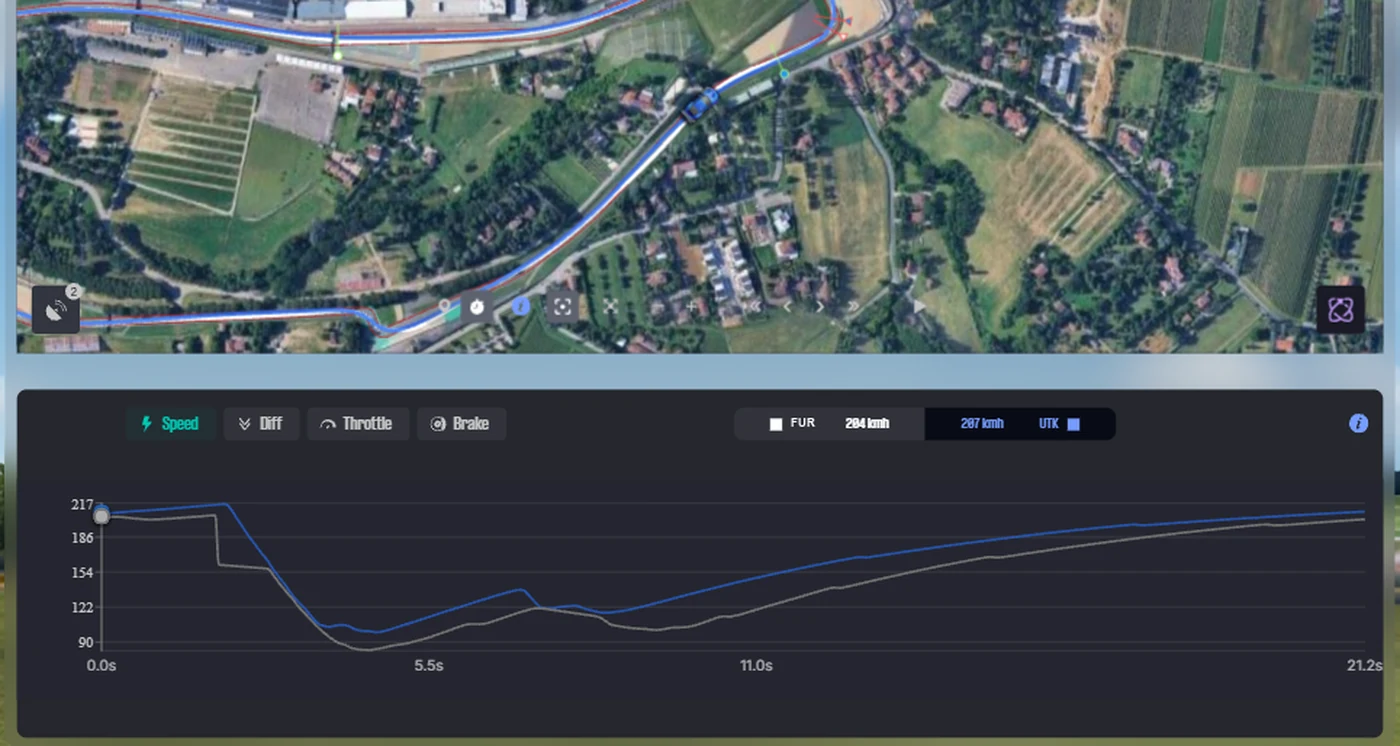
Common patterns in the data
- Braking too early: the brake trace starts before the reference and speed drops sooner, followed by a coast with no pedal applied.
- Over-slowing the corner: the minimum speed is lower than the reference, even if braking started at the same point.
- Late or hesitant throttle: the throttle trace stays partial for longer after the apex, so exit speed is lower all the way down the straight.
- Too much steering: more steering angle than the reference at the same speed usually means understeer, often from carrying too much speed into the corner.
- Inconsistency: the same corner looks different every lap, which shows up as a scattered spread of minimum speeds across a stint.
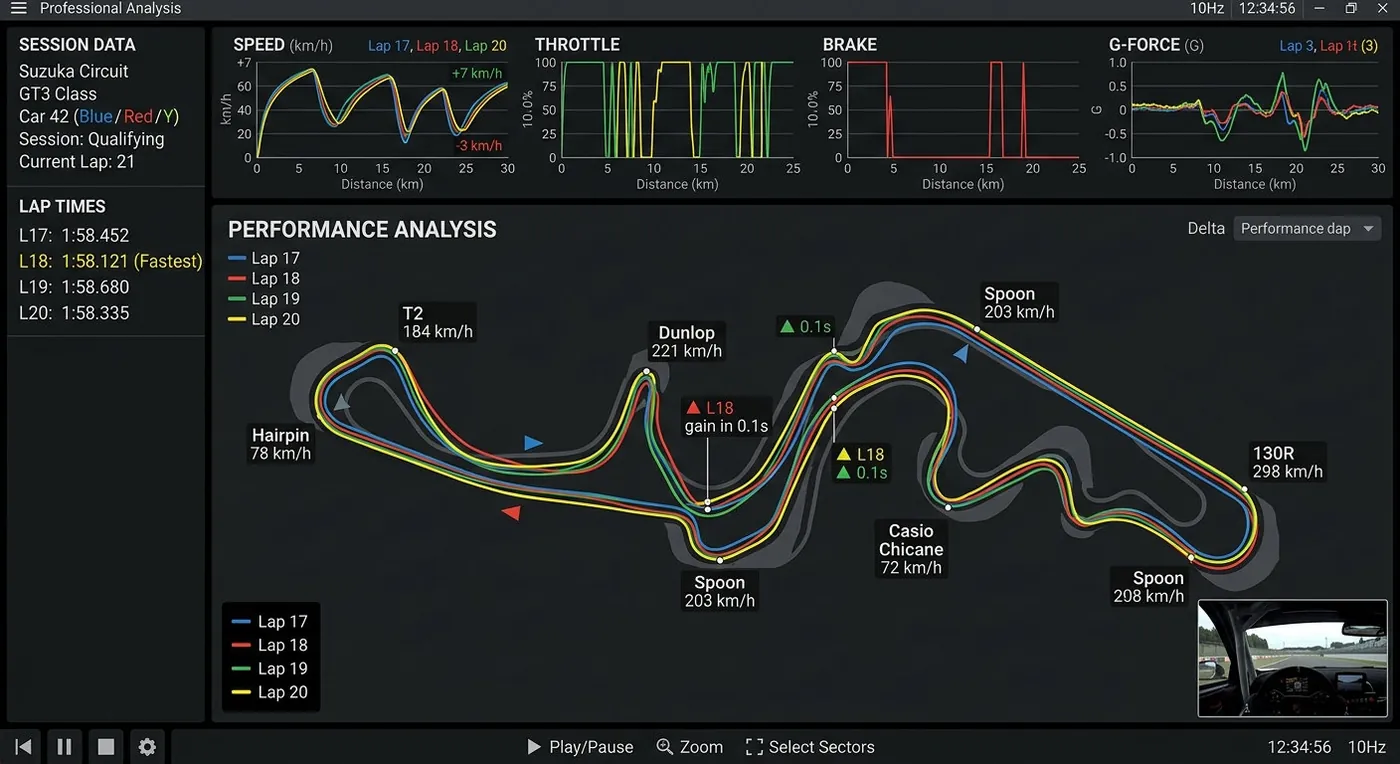
What to look for in sim racing telemetry software
- Automatic recording: laps should be saved without you starting anything each session.
- Lap comparison: overlay any two laps, including laps from faster drivers.
- Corner-by-corner breakdown: time lost per corner, so you know where to start.
- Support for your sims: check that your sim is supported before you commit.
- Explanations, not just charts: useful if you are still learning what the traces mean.
RaceData records laps from iRacing, Assetto Corsa, Assetto Corsa Competizione, Le Mans Ultimate, AMS 2, rFactor 2, Project Motor Racing and F1, compares them corner by corner and adds AI analysis of where the time goes. For how it fits with spotters, dashboards and overlays, see our guide to sim racing apps and tools.
Frequently asked questions
What is racing telemetry data?
It is a record of what the car and driver did during a lap, measured many times per second: speed, throttle, brake, steering, gear, RPM, g-forces, tyre data and track position.
Which telemetry channels should beginners look at first?
Speed, throttle, brake and the time delta. Together they show where you lose time and which input caused it.
Is sim racing telemetry the same as real racing telemetry?
The channels are similar. In a sim the data comes straight from the simulation, so it is complete and free of sensor noise, and every lap can be recorded at no cost.
Do I need telemetry to get faster?
Not to start, but most drivers hit a point where feel stops showing them where the time is. Comparing laps in telemetry shows the corners and inputs to work on.
Which sims provide telemetry data?
Most modern sims do, including iRacing, Assetto Corsa, Assetto Corsa Competizione, Le Mans Ultimate, rFactor 2, AMS 2 and the F1 games.